IBA Sukkur Screening Test Intermediate Slips Download Free 2026
To download your roll number slips for the Sukkur IBA University (SIBA Testing Services – STS) screening test for the Intermediate Category (BPS-05 to BPS-15), follow the official steps below.
Official Portal to Download Slips
The primary portal for all Sindh Government job screening tests conducted by IBA Sukkur is the STS Candidate Portal.
Direct Link: https://apply.sts.net.pk
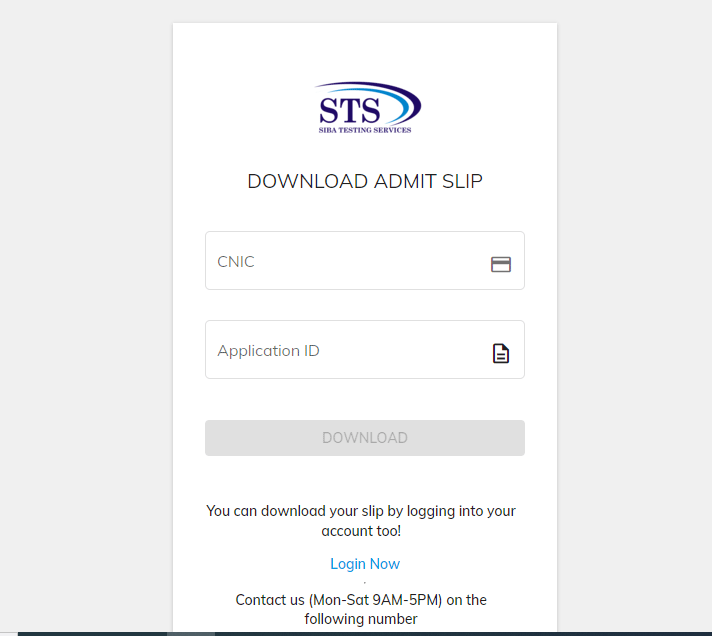
Alternate Link (E-Slips): https://apply.sts.net.pk/eslips[2]
Step-by-Step Guide to Download Roll No Slip
Visit the Portal: Go to the official STS website at apply.sts.net.pk.
Login: Enter your CNIC number (without dashes) and the Password you created during registration.
Find the Download Section: Once logged in, look for the sidebar or dashboard menu and click on the “Roll No Slip / Admit Card” or “Download Slips” section.
Select Project: Choose the relevant project (e.g., Screening Test for BPS-05 to BPS-15 – Intermediate Category).
Download & Print: Your slip will appear on the screen. Click on the download icon to save it as a PDF and print it for the test day.
Important Updates for 2026 Candidates
Validity Extension: The Government of Sindh recently extended the validity of previous screening test results (for candidates who appeared between 2021–2023) until June 30, 2026.
Sample Papers: If you are preparing for a new test, official Sample Papers and Test Specifications for the Intermediate Category were recently uploaded to the portal in January 2026.
Mandatory Documents: On the day of the test, you must bring:
Printed Roll Number Slip.
Original CNIC (Photocopies or NADRA tokens are generally not accepted).
Helpline: If you face any technical issues or forget your password, you can contact the STS Helpline at 071-5644200 (Monday to Saturday, 9:00 AM – 5:00 PM).
Note: If the slip is not showing in your portal, it may mean your application is still under review or the specific test dates for your district have not yet been announced. Check the “Notifications” tab on the portal regularly for the latest schedule.